Pangolin: The Self-Hosted Tunneled Reverse Proxy That's Quietly Replacing Cloudflare Tunnels
An identity-aware reverse proxy built on WireGuard that connects isolated networks through encrypted tunnels, with a dashboard UI, SSO/OIDC support, and zero-trust access controls. Nearly 19k GitHub stars and growing fast.
Identity-Aware Tunneled Reverse Proxy Server with Dashboard UI
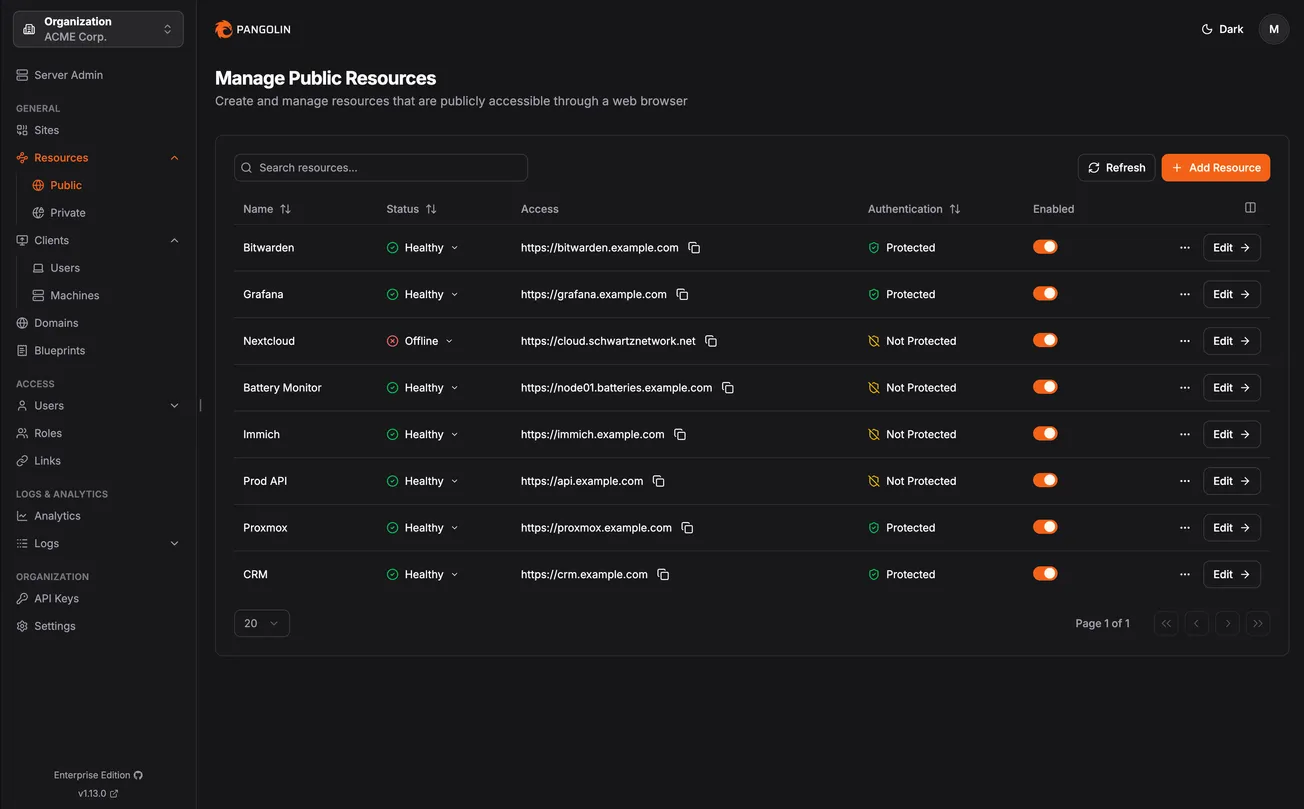
Pangolin is a self-hosted, identity-based remote access platform built on WireGuard that has rapidly become one of the most popular self-hosted projects in the homelab and infrastructure space. Developed by Fossorial (a YC 2025 company), Pangolin combines reverse proxy and VPN capabilities into a single platform, providing browser-based access to web applications and client-based access to private resources, all with zero-trust security and granular access controls.
The pitch is straightforward: think self-hosted Cloudflare Tunnels, but with full control over your infrastructure. Pangolin acts as a central hub, connecting isolated networks (even those behind restrictive firewalls) through encrypted WireGuard tunnels. No open ports, no VPN configuration headaches.
// How It Works
The Pangolin ecosystem consists of three core components that work together:
The workflow is simple: install Pangolin on a VPS with a public IP, deploy the lightweight Newt client on any machine behind a firewall, and Pangolin handles the rest. Traffic is routed through encrypted WireGuard tunnels to reach services on private networks. Traefik handles reverse proxying, load balancing, health checking, and automatic Let's Encrypt SSL certificates.
// Key Features
// Traffic Flow
// Deployment Options
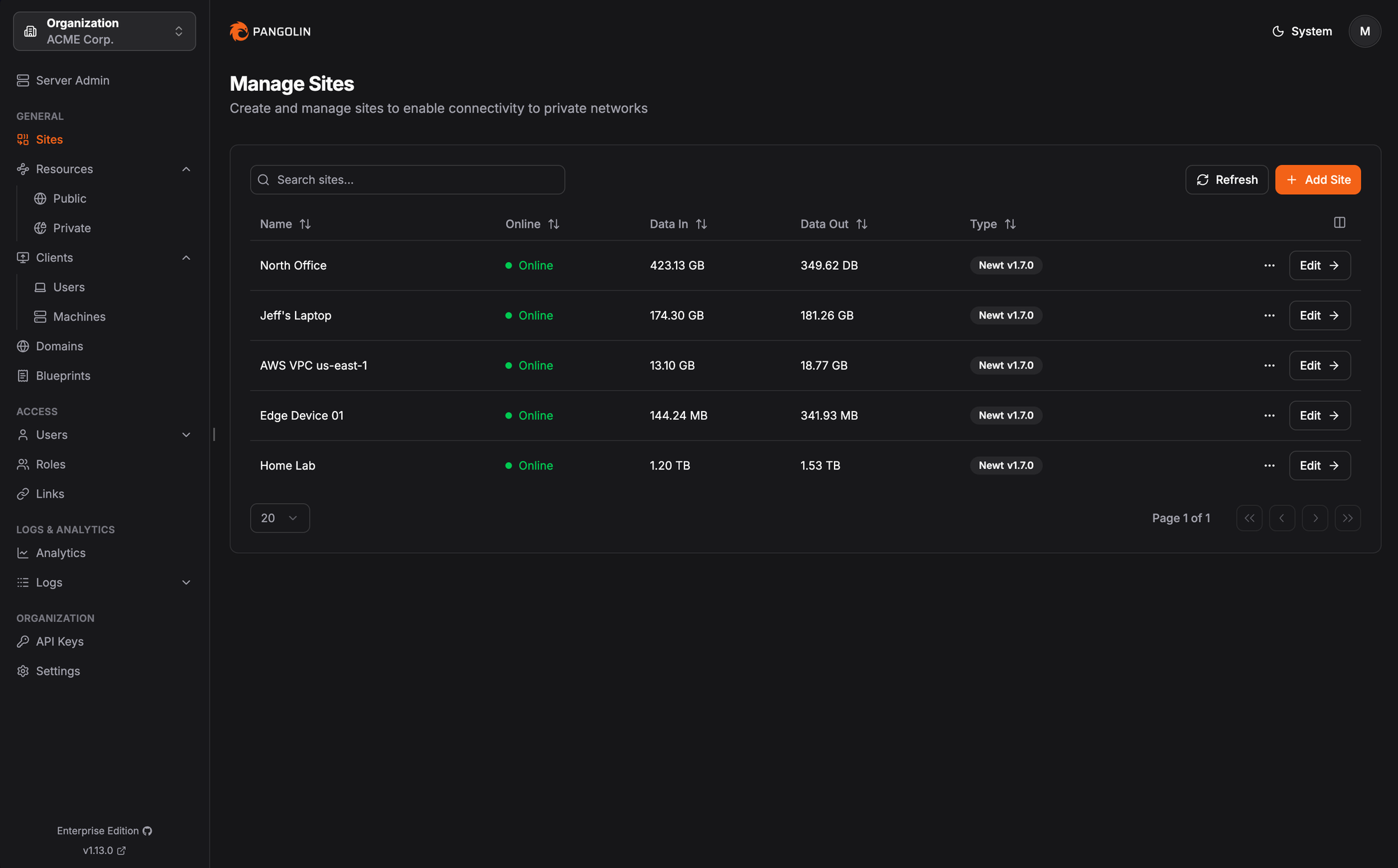
The dashboard provides centralized management for all connected sites, showing real-time status, data throughput, and Newt client versions across your entire infrastructure.
| Option | Details |
|---|---|
| Community Edition | Free, open source, AGPL-3.0 licensed. Full self-hosted deployment. |
| Enterprise Edition | Fossorial Commercial License. Free for personal/hobbyist use and businesses under $100K USD annually. |
| Pangolin Cloud | Fully managed service with pay-as-you-go pricing. Free tier: 25GB bandwidth, 3 users, 1 site, 1 domain. |
| DigitalOcean Marketplace | One-click pre-configured installer for quick VPS deployment. |
// Recent Development: Private Resource Access
A major recent update transformed Pangolin from a tunneled reverse proxy into a fully self-hosted alternative to Twingate. The update introduced private resource access via user clients, effectively turning Pangolin into a zero-trust network access (ZTNA) platform.
What changed: Newt still acts as the site connector, establishing secure WireGuard tunnels. But now, Pangolin clients (available on Windows, macOS, and Linux) can connect to the private network and access defined resources using familiar LAN-style addresses. This flattens the network topology: once connected, resources across all sites are accessible without connecting to each individual site.
DNS over tunnel: Pangolin clients now support routing DNS queries through the secure tunnel. Configure a self-hosted or private DNS server, and all resolution happens within your private infrastructure rather than leaking to the local network.
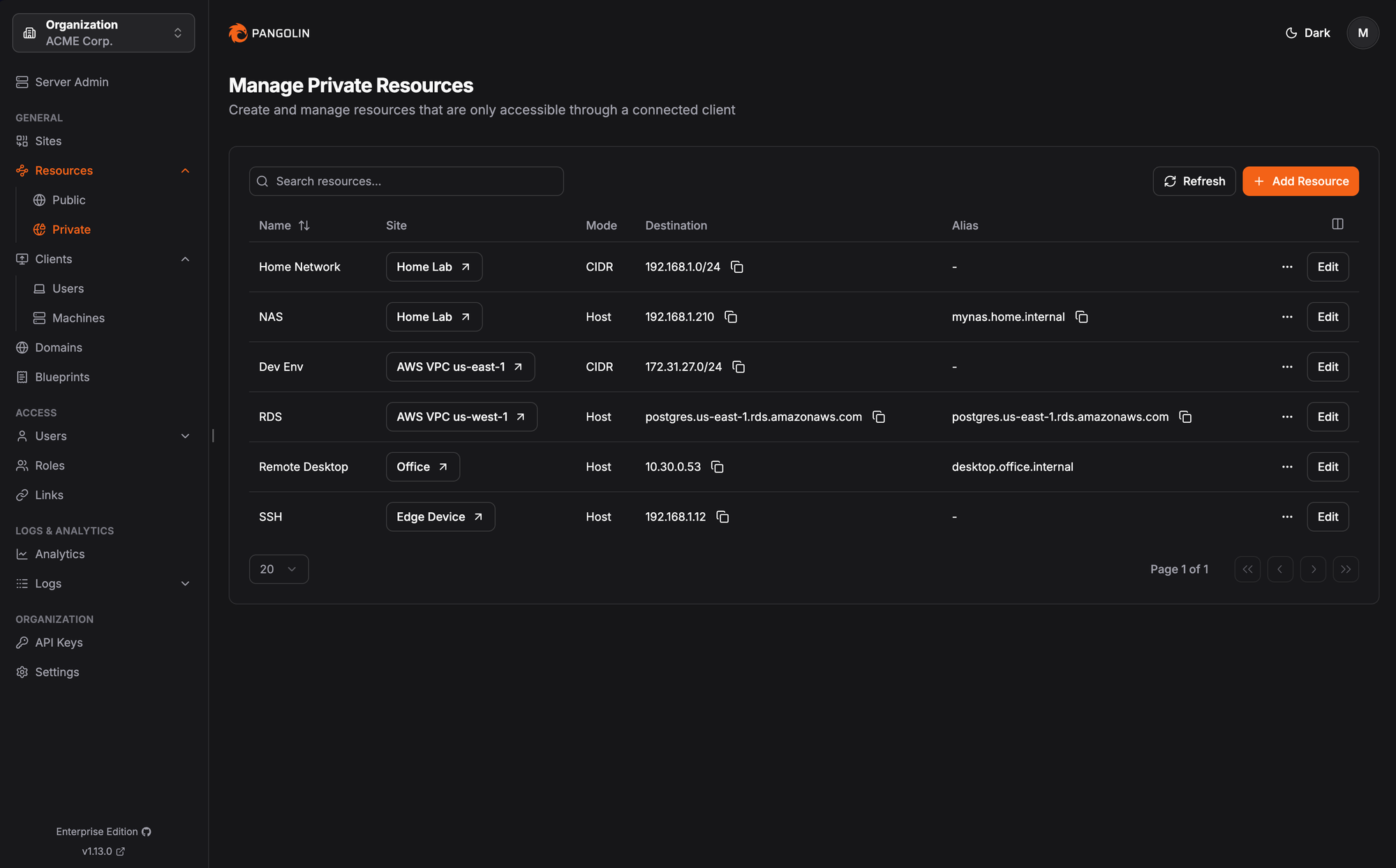
Private resources are managed through the dashboard, where each resource is mapped to a site, destination (host or CIDR), and optional DNS alias for friendly access.
// The Ecosystem
| Component | Description |
|---|---|
| Pangolin | Central server: dashboard UI, identity management, resource configuration, access control (TypeScript) |
| Newt | Lightweight site connector: userspace WireGuard tunnel client and TCP/UDP proxy (Go, 693 stars) |
| Gerbil | WireGuard interface management server with HTTP API for tunnel lifecycle (Go, 249 stars) |
| Android Client | Pangolin VPN client for Android devices (Kotlin) |
| Pangolin Node | Remote node for connecting self-hosted infrastructure to the Pangolin Cloud control plane (TypeScript) |
// Why It's Gaining Traction
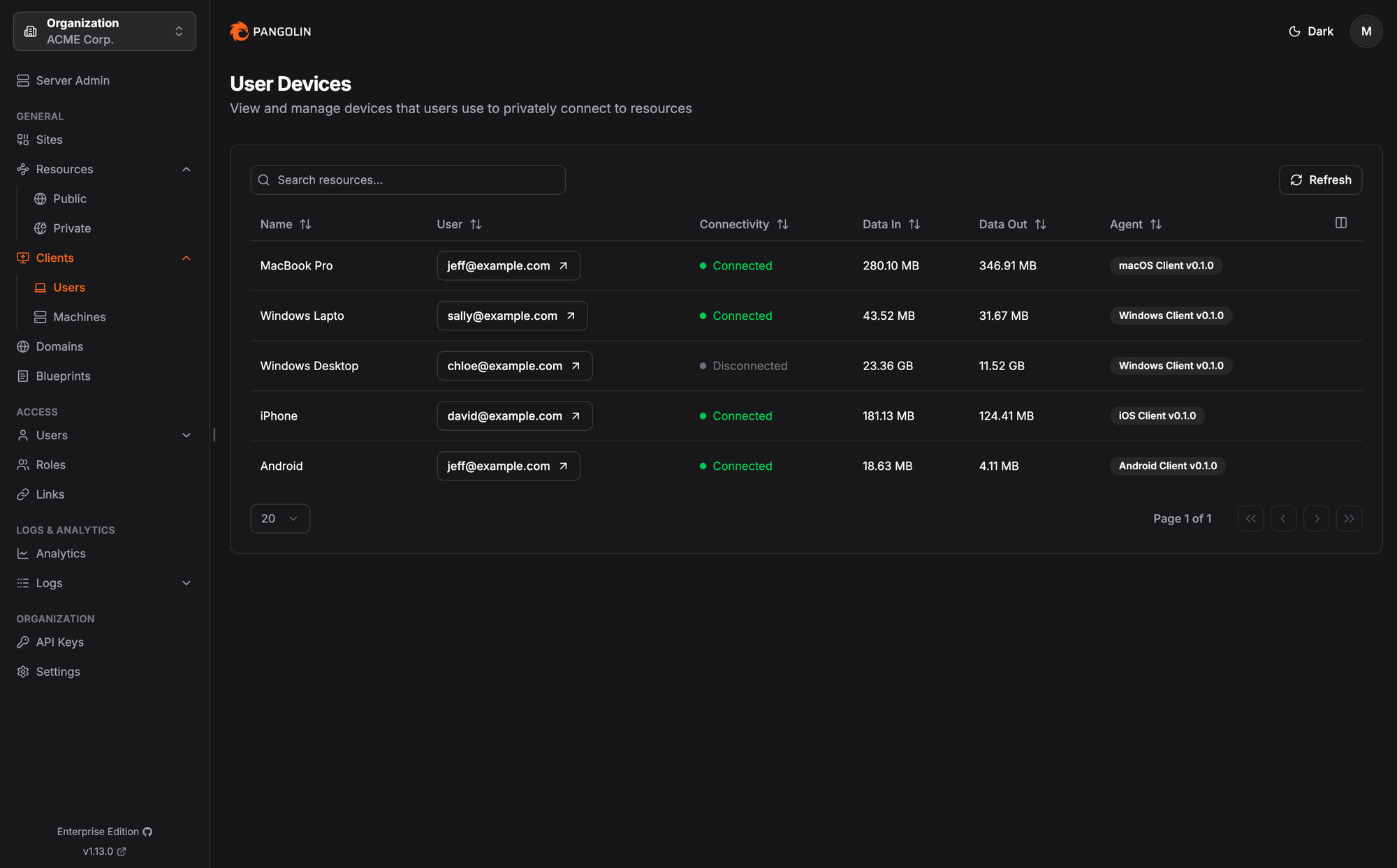
Connected user devices are visible at a glance, with per-client data usage, connectivity status, and agent versions tracked across macOS, Windows, iOS, and Android clients.
Pangolin has hit nearly 19,000 GitHub stars because it solves a specific, widespread pain point cleanly. Homelabbers and small teams need to expose services securely without the complexity of manual WireGuard configuration, Nginx reverse proxy rules, or reliance on Cloudflare's proprietary tunnels.
Setup is genuinely simple. The installer handles Pangolin, Gerbil, Traefik, and Let's Encrypt configuration. Deploying Newt on a remote machine is a single Docker container or binary with three environment variables. The dashboard UI makes resource and user management accessible without touching config files.
It's a real company backing it. Fossorial is a Y Combinator 2025 company, which means there's sustained development and a viable business model behind the open-source project. The dual AGPL-3.0 / commercial license keeps the community edition fully functional while the enterprise and cloud tiers fund continued development.
Platform coverage is broad. Newt runs on Linux (including ARM/Raspberry Pi), macOS, and Windows. Native clients exist for Windows, macOS, Linux, and Android. The DigitalOcean marketplace listing provides one-click deployment for users who want to skip manual server setup.
// Considerations
Performance. Newt's userspace WireGuard implementation is less performant than the kernel WireGuard client, though Newt does support a flag to use the kernel implementation. For most homelab and small business use cases, the userspace client is more than adequate.
Private access is still maturing. The client-based private resource access feature is relatively new and still in active development. The team notes that the migration from the older client resources model should be reviewed after updating, and they recommend backing up configuration before upgrades.
Requires a public VPS. Unlike pure mesh VPN solutions (Tailscale, ZeroTier), Pangolin requires a server with a public IP to act as the central hub. This is a deliberate architectural choice for the reverse proxy use case, but it means you need infrastructure beyond just the machines you're connecting.
// Bottom Line
Pangolin has quickly established itself as the leading open-source alternative to Cloudflare Tunnels for self-hosters. It combines a tunneled reverse proxy, zero-trust access controls, and a clean dashboard UI into a single deployable stack. The recent addition of private resource access via native clients pushes it into Twingate/Tailscale territory, making it a genuinely comprehensive remote access platform.
With 18.8k stars, 79 contributors, 49 releases, and YC backing, this isn't a weekend project. It's production infrastructure that's actively maintained and growing. If you're currently relying on Cloudflare Tunnels, manually configuring WireGuard + Nginx, or paying for Tailscale/Twingate, Pangolin is worth evaluating.